


The SportsEngine SE Motion App
The SE Motion app is the mobile app for Team Unify, which is the platform we use to manage all of our accounts, billing and meet entries. We recommend that you download this app as we also use it for instant communications.



You can use SE Motion to see all of your swimmer’s information, including meet times and personal bests, Swim England ASA number and you can use it to sign up for events including galas and open meets, not to mention awards nights, social events and even to make personalised hat orders.
To See Your Swimmer's Details
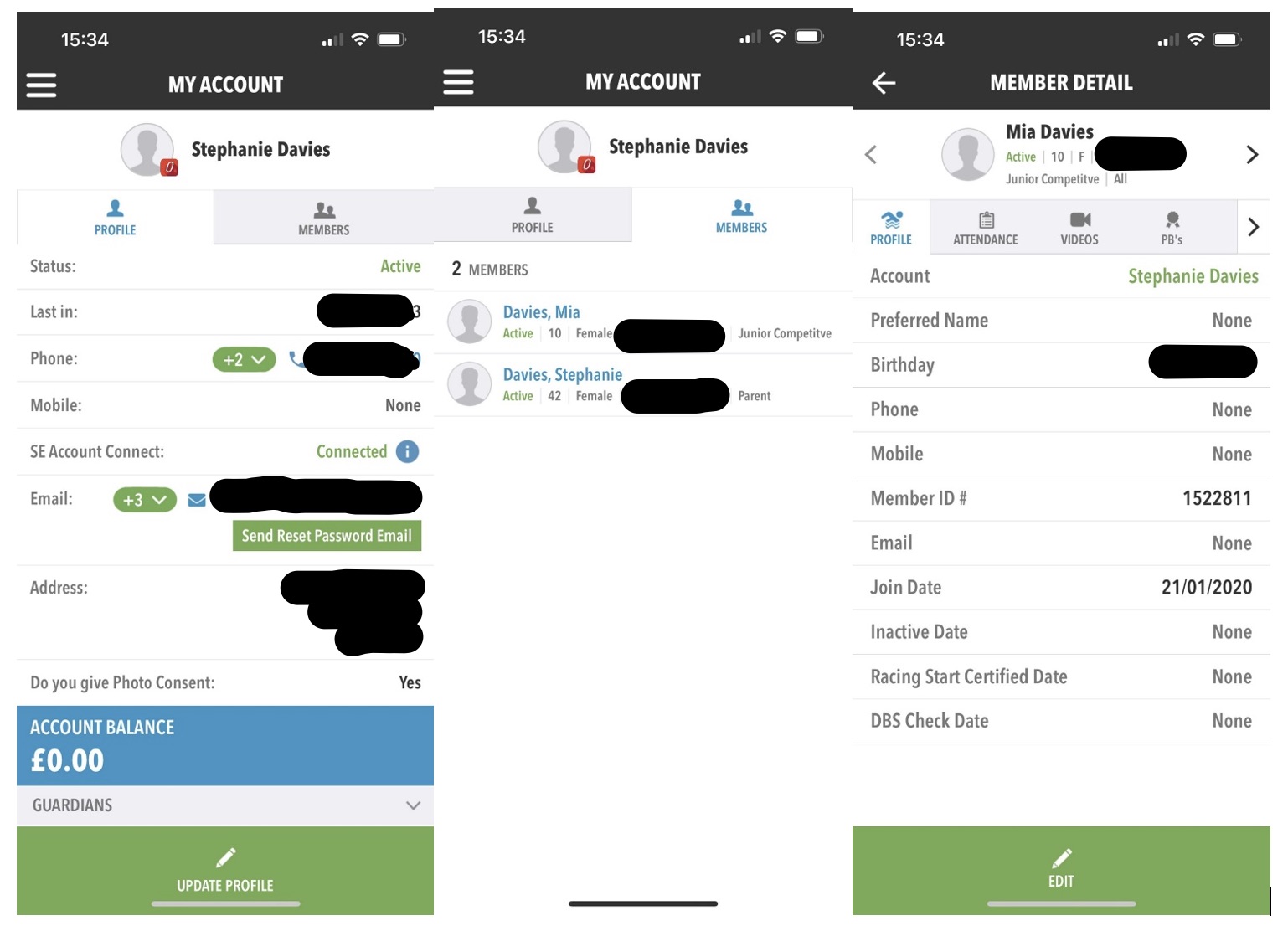
When you log in you will see your account details. You can switch between tabs to see any members you have attached to your account. Click on the name of the swimmer you want to see and their full details will open up.
To See Your Swimmer's Times
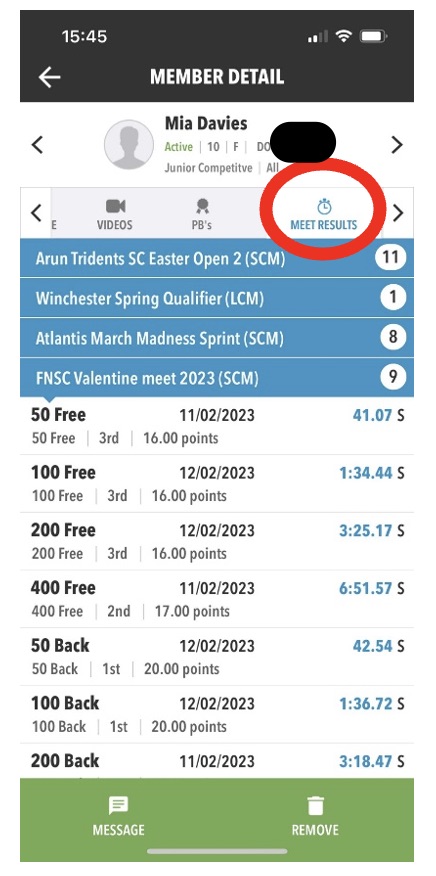
You can view your swimmer’s times by specific event by clicking on the ‘Meet Results’ tab. This will show you each meet your swimmer has taken part in. You can expand or collapse these as you wish.
To See Your Swimmer's Personal Bests
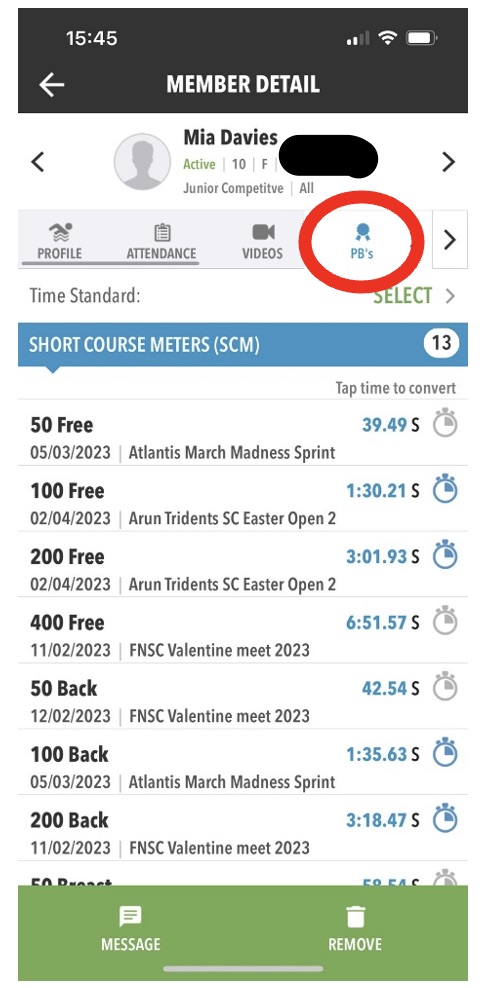
Click on the ‘PBs’ tab under your swimmer.
To Enter (or Decline) a Meet
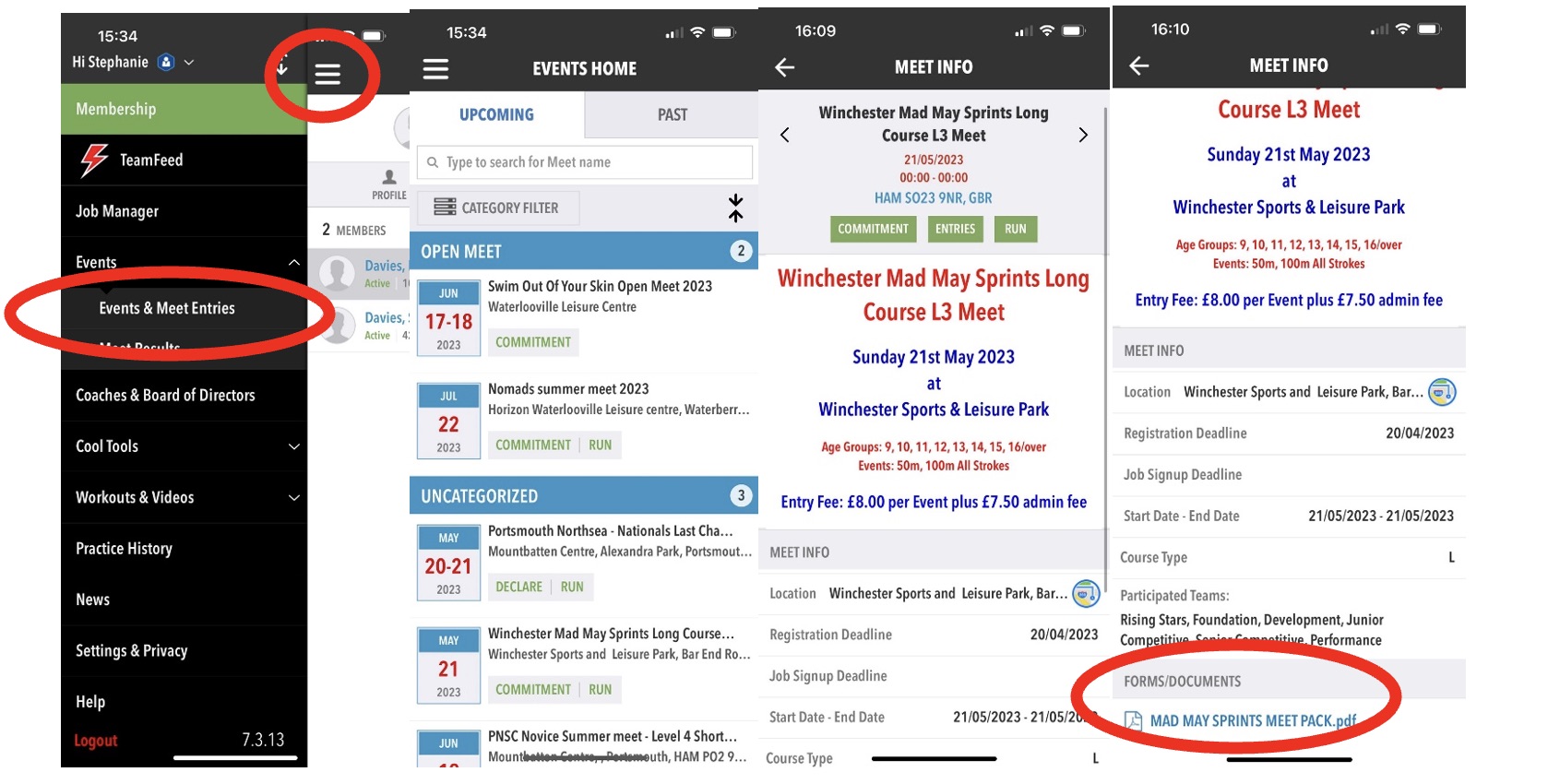
To see events, click on the menu button at the top and go to ‘Events’. There are three types of events: Declare Meet, RSVP Event and Paper Events
To see the details of any event, click on the name of the meet and it will open up the details. You can also see any documents attached including promoter's conditions, schedule of events and paper entry forms. You should always look at these.
Declare Meets
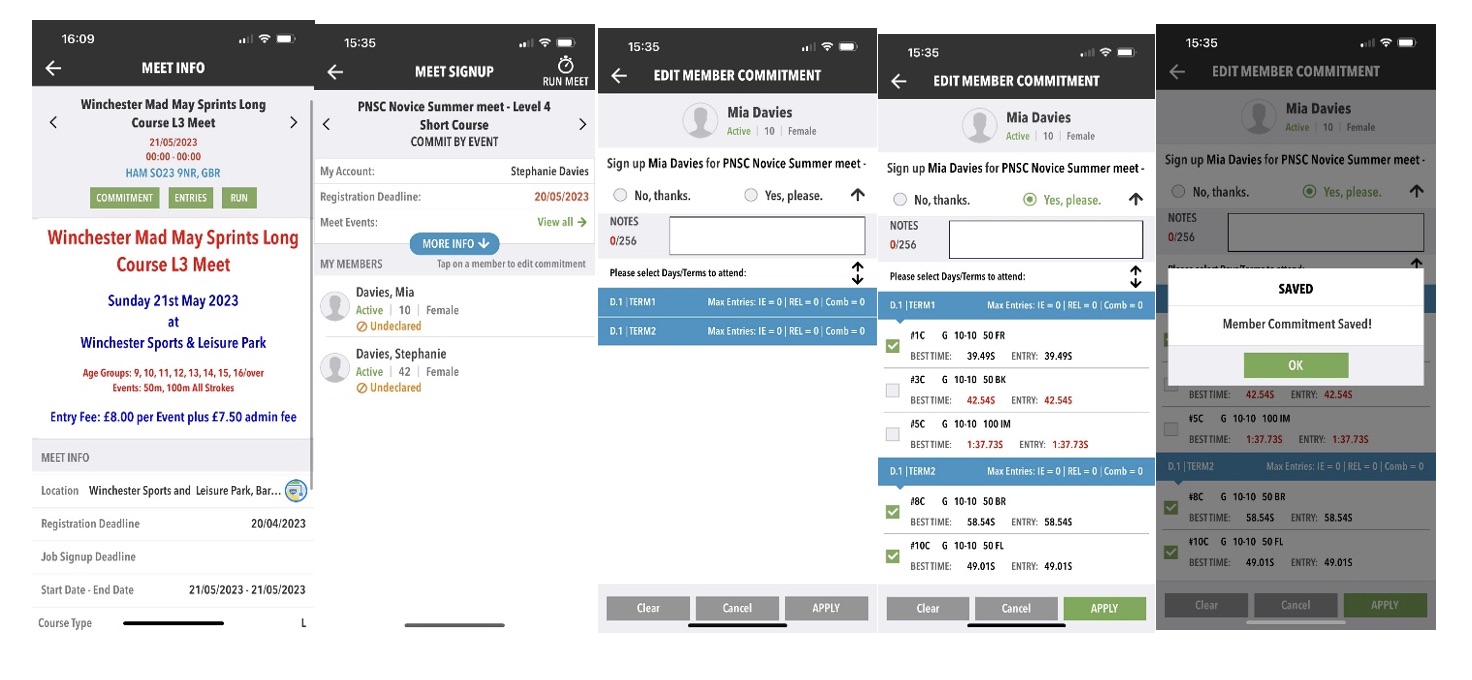
This type of event will show all the information you need so you can enter (declare) your swimmer into a meet and pick the events you want them to swim in:
-
Scroll to the event you want to declare and click ‘Commitment’;
-
Pick the name of the swimmer you are declaring for;
-
Click the blue areas to expand the screen to see the individual events;
-
Click ‘Yes Please’, then click the events you want to enter;
(NOTE: If times are shown in red, your swimmer cannot enter as they are either too fast or slow for the qualifying times for the event.) -
Click ‘Apply’ and your commitment will be saved.
RSVP Events
These are usually for fun galas, hat orders or for social events when you just RSVP to indicate if you are attending or not. They usually have instructions on them for you to email further information over to someone.
Paper Events
These usually work in the same way as RSVP Events, but have a paper entry form attached, which you will need to fill in and email as directed. This paper form will need you to enter your swimmer’s ASA number (which you can find in 'To See Your Swimmer's Details' above), and their times for each event entered (which you can find in 'To See Your Swimmer's Personal Bests' above).
